
Coding Without Screens: Computational Thinking Through Play
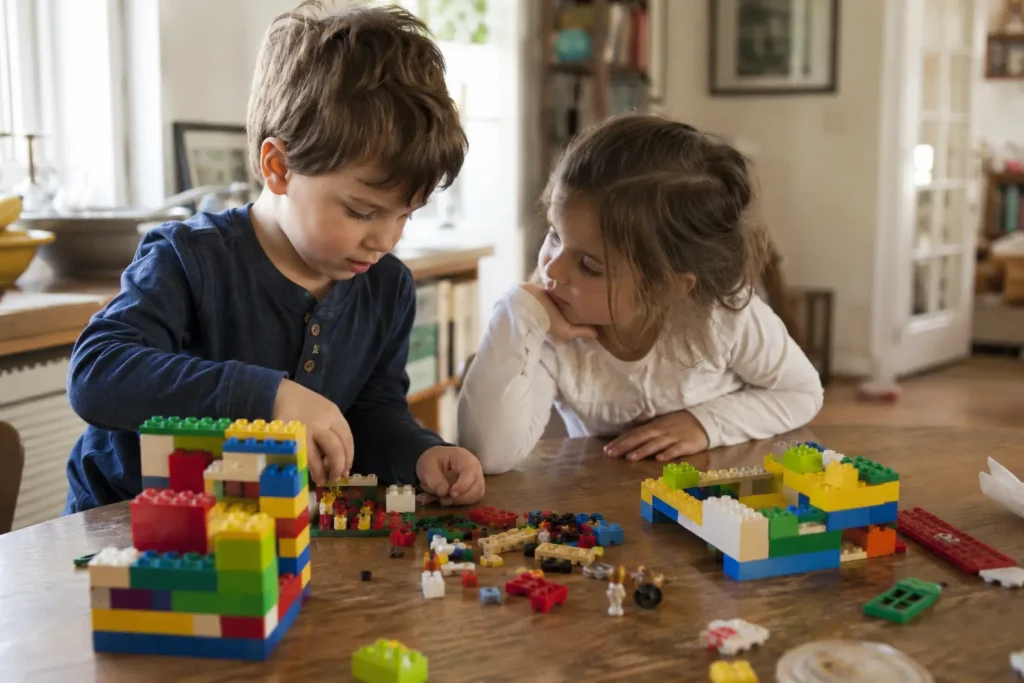
In a Year 1 classroom, a child lines up six coloured bricks, pauses, swaps two of them, and beams when the pattern finally clicks into place. There’s no screen, no app, and none of the “coding” most people picture — and yet that child is doing something remarkably close to what a programmer does every day.
At first, coding without screens sounds like a contradiction. After all, we tend to imagine code as something that lives on a laptop. But the thinking underneath coding — breaking a problem into steps, spotting patterns, testing an idea, and fixing what doesn’t work — begins long before a keyboard is ever involved. That habit of mind is computational thinking, and it’s one of the most valuable capacities we can nurture in the early years.
That’s exactly where a tool as simple as six bricks earns its place. Indeed, with a handful of DUPLO®-style bricks and a clear activity, educators can introduce the foundations of coding to four-, five-, and six-year-olds — building logic, sequence, and problem-solving through hands-on play. Below, this article unpacks what computational thinking really is, the skills hiding inside it, and how you can start teaching it tomorrow without a single device.
Quick Overview
- Who is this for? K–2 educators (and curious parents) building early STEAM and coding foundations.
- What will you learn? What computational thinking is, the cognitive skills behind it, and how screen-free brick activities teach it.
- Key takeaway: Children can learn to think like coders through structured, playful, hands-on activities — no technology required.
What computational thinking really means
In essence, computational thinking is the ability to approach a problem the way a coder would: by breaking it down, finding patterns, and building a clear sequence of steps to solve it. In other words, it isn’t about screens or software — it’s a way of thinking that applies across every subject and most of daily life.
For young children, this looks less like programming and more like noticing, sorting, and ordering. A child who lines up bricks by colour, for example, is recognising patterns. Working out the steps to rebuild a tower, meanwhile, is sequencing. And when a child tries an arrangement, sees it fail, and adjusts, they are debugging in its earliest form.
Importantly, introducing these ideas early matters because they form the scaffolding for later learning. Indeed, research in cognitive development consistently suggests that the reasoning skills behind problem-solving are highly responsive in the early years. So by giving children concrete, playful ways to practise this thinking now, we make later, more abstract concepts — including formal coding — far more accessible when they arrive.
The skills hiding inside computational thinking
Beneath the word “coding” sits a cluster of thinking skills that overlap closely with executive function — the brain’s management system. Specifically, computational thinking draws on working memory, cognitive flexibility, and inhibitory control: holding a sequence in mind, adapting when a plan fails, and resisting the urge to rush ahead.
The K–2 course built around this method names six concrete capacities children develop:
- Decomposition — breaking a big problem into smaller, manageable parts.
- Pattern recognition — spotting what repeats and what changes.
- Abstraction — focusing on what matters and ignoring the rest.
- Generalisation — applying a solution that worked before to a new situation.
- Algorithmic thinking — putting steps in the right order to reach a goal.
- Evaluation and debugging — checking whether something works and fixing it if it doesn’t.
None of these requires a computer. In fact, all of them can be developed with six bricks on a desk. Because the activities are multi-sensory — engaging touch, sight, and movement together — they also support memory and attention, which helps the thinking stick.
How six bricks teaches coding without a single device
Above all, the Six Bricks approach turns abstract STEAM concepts into something children can hold in their hands. Instead of explaining “an algorithm,” for instance, an educator sets up an activity where children build one. The K–2 computational and coding course then includes a set of these activities, each targeting a specific skill:
- Brick Crypto introduces encryption and pattern recognition — children encode and decode simple messages using brick colours.
- Brick Navigation develops spatial awareness and logic as children direct a route step by step.
- Brick Switch teaches algorithms and sequential thinking through ordered, rule-based moves.
- Brick Sudoku and Tangram strengthen reasoning and problem-solving.
A snapshot from a K–2 classroom
Imagine a Foundation class working in pairs. First, one child arranges three bricks in a hidden sequence; the other then has to recreate it using only spoken instructions — “red, then blue, then green.” When the copy doesn’t match, the pair talks through where it went wrong and tries again. In just a few minutes, those children have practised giving precise instructions, following an algorithm, and debugging an error — the heart of computational thinking — without anyone mentioning the word “code.” Because the activity is short and structured, it slots neatly into a daily routine or a brain break.
Getting started in your classroom
Of course, you don’t need a tech background to begin — just a set of bricks and a little structure. So start small and build confidence over a few weeks.
- Begin with patterns. Have children copy, then extend, a simple brick sequence.
- Add instructions. Move to paired activities where one child guides another step by step.
- Introduce “debugging” language. When something doesn’t work, frame it as a fix to find, not a mistake to fear.
- Connect it to a goal. Link each activity to a clear outcome so children see the purpose.
Short, repeated routines work best. A few focused minutes most days will do more than an occasional long session.
Key Takeaways
- In essence, computational thinking is a way of solving problems — breaking them down, finding patterns, sequencing steps — rather than a screen activity.
- The skills behind coding overlap with executive function: working memory, cognitive flexibility, and inhibitory control.
- Moreover, six concrete capacities — decomposition, pattern recognition, abstraction, generalisation, algorithmic thinking, and debugging — can all be built with bricks.
- Hands-on, multi-sensory play helps these skills stick and stay accessible to every learner.
- Ultimately, short, structured brick activities let any educator teach coding foundations with no devices required.
FAQ
Can you really teach coding without screens?
What is computational thinking in early childhood?
What age should children start building coding skills?
How do Six Bricks activities teach coding without a computer?
Do I need to know how to code to teach this?
Ready to teach coding without the screens?
Explore the K–2 Computational and Coding Skills course and bring screen-free STEAM into your classroom with confidence.
Explore the K–2 coding course